Quick Answer: A Cybersecurity Checklist provides practical steps to protect accounts, devices, data, networks, and AI systems from cyber threats while strengthening overall security and reducing common vulnerabilities.
Cybersecurity is no longer only an IT department responsibility. Individuals, startups, remote workers, and established organisations all depend on connected devices, cloud services, applications, email, and digital identities. A practical Cybersecurity Checklist helps turn security from a vague goal into a repeatable process for reducing common risks.
The most effective approach combines strong authentication, secure devices, software updates, reliable backups, network protection, employee awareness, and continuous monitoring. For organisations adopting AI, the checklist must also consider AI Cybersecurity Checklist risks such as prompt injection, sensitive data exposure, insecure integrations, and AI supply chain weaknesses.
What Is a Cybersecurity Checklist?
A cybersecurity checklist is a structured set of security tasks used to identify weaknesses, reduce exposure, and maintain basic security controls. It can be adapted for personal devices, small businesses, enterprise environments, or organisations using cloud and AI systems. A comprehensive cybersecurity checklist covers access controls, software updates, data backups, network defences, and employee training to protect your organisation or personal data from threats.
A checklist should not be treated as a one-time audit. Accounts, applications, employees, devices, vendors, and threats change continuously, so security controls should be reviewed regularly. NIST’s Cybersecurity Framework 2.0 is designed to help organisations of different sizes and maturity levels manage cybersecurity risk through a flexible risk management approach.
Cybersecurity Checklist: Essential Security Controls
Secure Every Account
Start by protecting the accounts that provide access to business systems, email, cloud platforms, financial services, and sensitive information. Use unique passwords or passphrases and avoid reusing credentials across different services. The principle of least privilege is especially important for modern environments. Users and applications should receive only the access required for their responsibilities, reducing the potential impact of compromised credentials.
Keep Software and Devices Updated
Unpatched operating systems, browsers, applications, routers, and security products can expose organisations to known vulnerabilities. Enable automatic updates where appropriate and establish a process for prioritising important security patches.
For business environments, unsupported software should be replaced or isolated. A practical Cybersecurity Best Practices program should combine asset inventory, vulnerability management, patching, and secure configuration rather than relying on antivirus software alone.
Protect Important Data
Identify what information would cause serious harm if stolen, modified, or destroyed. This may include customer information, financial records, employee data, intellectual property, authentication credentials, and confidential business documents. Use appropriate encryption for sensitive information at rest and in transit, restrict access based on job responsibilities, and avoid retaining unnecessary data. Data minimisation reduces the amount of information an attacker can obtain if an account or system is compromised.
Strengthen Network Security
Secure Wi Fi networks with modern encryption, strong administrative credentials, and updated router firmware. Business networks should be segmented where practical so that a compromise of one device does not automatically provide unrestricted access to other systems. Remote workers should avoid treating public networks as inherently trustworthy. Use secure connections and organisational security controls when accessing sensitive resources remotely.
Firewalls, endpoint protection, DNS security, network monitoring, and access controls can work together as layers. No single security product should be expected to stop every threat.
Make Phishing Harder to Exploit
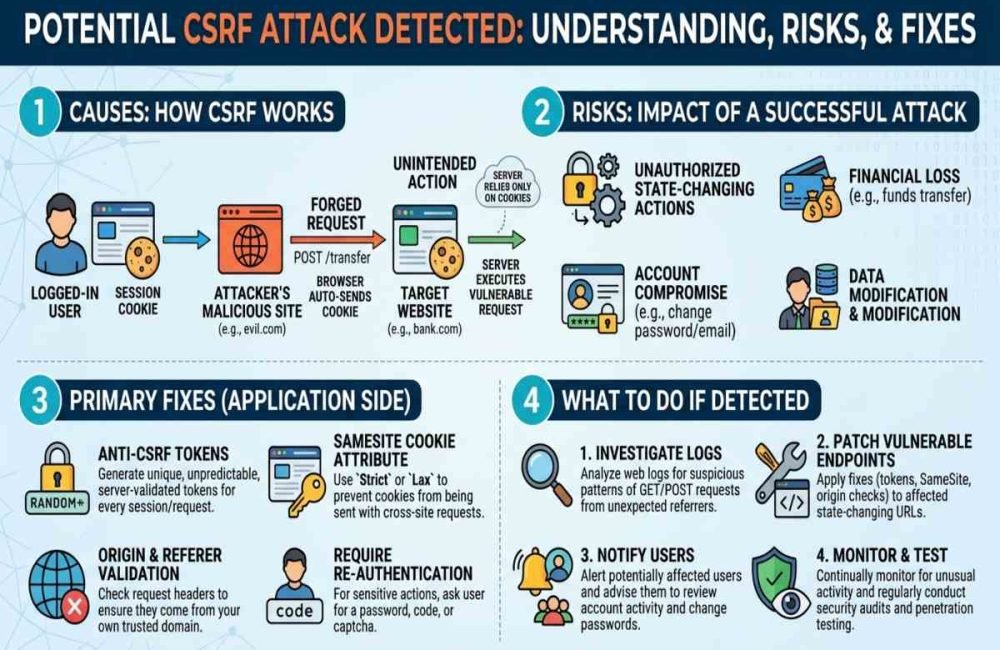
Phishing remains dangerous because attackers frequently target human decision-making rather than technical vulnerabilities. Suspicious messages may imitate executives, vendors, banks, cloud providers, or coworkers. Employees should verify any unexpected requests for passwords, payments, sensitive files, or urgent account changes through a separate, trusted communication channel. Hovering over links, carefully checking domains, and avoiding unexpected attachments can also reduce exposure.
Training should be practical rather than simply telling employees to “Watch Out for Phishing.” Show realistic examples and establish a clear process for reporting suspicious messages without fear of punishment.
Small Business Cybersecurity Checklist
Small organisations often have fewer security specialists and limited resources, making prioritisation essential. A Small Business should first protect its most important accounts, systems, data, and business processes, rather than attempting to implement every advanced security technology immediately. A useful starting sequence is: inventory assets, enable MFA, patch critical systems, secure administrator accounts, create tested backups, protect email, train employees, and establish an incident response procedure.
NIST provides a dedicated Small Business Quick Start resource within its CSF 2.0 materials, reflecting the need for practical cybersecurity guidance adaptable to organisational size and maturity. For a small company, document who is responsible for security decisions, who can access sensitive systems, where backups are stored, and what employees should do in the event of an incident. Clear ownership can be as important as technical controls.
| Security Area | What Small Businesses Should Do | Why It Matters |
|---|---|---|
| Account Security | Enable MFA, use unique passwords, and remove inactive accounts and unnecessary admin access. | Reduces the risk of unauthorized access from stolen or compromised credentials. |
| Data & Backups | Back up critical business data regularly and test whether files can be successfully restored. | Helps the business recover from ransomware, accidental deletion, hardware failure, or data loss. |
| Devices & Software | Keep operating systems, applications, browsers, routers, and security tools updated and protected. | Reduces exposure to known vulnerabilities and common malware attacks. |
| Employee Awareness | Train employees to identify phishing, suspicious links, social engineering, and unusual requests. | Improves the organization’s ability to prevent attacks that target human behavior. |
Cybersecurity Checklist 2026: What Has Changed?
A Cybersecurity Checklist for 2026 should address traditional security risks while recognising how AI and connected services are changing the attack surface. Organisations increasingly use AI applications to process documents, generate content, retrieve information, and interact with business systems.
That creates additional security boundaries. An AI Security Master may process untrusted content, connect to external tools, access databases, or generate output that another application automatically consumes.
The latest OWASP GenAI LLM Top 10, published in August 2026, reflects this evolving environment and covers risks such as prompt injection, sensitive information disclosure, supply chain issues, data and model poisoning, excessive agency, system prompt leakage, and vector or embedding weaknesses.
Modern Cybersecurity Checklist: 2026 Security Priorities
As AI becomes part of everyday business operations, cybersecurity teams must protect both traditional systems and AI-powered workflows. These priorities help reduce emerging risks while keeping sensitive data, applications, and AI systems secure.
- Protect AI Systems: Prevent AI applications from accessing sensitive data or high-risk tools unnecessarily.
- Defend Against Prompt Injection Attacks: Separate untrusted AI inputs from trusted instructions and require human approval for sensitive actions.
- Review AI Dependencies: Assess the security of models, APIs, datasets, libraries, plugins, and third-party services.
- Limit AI Permissions: Apply least-privilege access to AI agents and turn off unnecessary tool capabilities.

Add AI Security to Your Checklist
Protect Against Prompt Injection Attacks
Prompt Injection Attacks attempt to influence an AI application’s behaviour through crafted instructions or malicious content. The problem becomes more serious when an AI system can access confidential information or perform actions through connected tools. Do not assume that a system prompt alone is a complete security boundary. Separate trusted instructions from untrusted content, limit the permissions available to AI systems, validate important outputs, and require human approval for sensitive actions.
OWASP identifies prompt injection as a major risk in LLM applications and recommends approaches such as limiting privileges, maintaining trust boundaries, and preserving human control over consequential operations.
Review AI Supply Chain Security
AI applications may depend on models, datasets, libraries, APIs, plugins, embedding systems, and third-party services. Each dependency can introduce security or integrity risks. AI Supply Chain Security should therefore include vendor assessment, dependency inventories, provenance checks, access controls, update management, and monitoring of externally sourced models and components.
This is particularly important when an AI application processes sensitive business information or has permission to interact with production systems.
Monitor AI Security Trends
AI Security Trends should be incorporated into security reviews without allowing hype to replace risk assessment. Track new vulnerabilities, emerging attack techniques, changes in AI dependencies, and security guidance from recognised organisations.
Organisations using AI should also establish clear rules for what information employees may submit to external AI services. Sensitive information should not be entered into an AI tool simply because the tool is convenient.
A Practical Weekly Security Review
A checklist becomes more useful when it is assigned a schedule. A weekly review can focus on new alerts, suspicious login activity, failed authentication attempts, critical updates, backup status, and newly introduced applications or services. A monthly review can examine user permissions, administrator accounts, inactive accounts, software inventory, third-party access, and security training needs. Test backups and review incident response procedures rather than assuming they will work in an emergency.
A quarterly review should consider broader risks, including vendor dependencies, network architecture, security policies, disaster recovery, and AI systems. Use the results to prioritise improvements based on business impact rather than trying to fix everything simultaneously.
Common Cybersecurity Checklist Mistakes
One common mistake is buying security tools without defining what they are supposed to protect. Technology is useful only when it supports a clear security objective and is properly configured, monitored, and maintained. Another mistake is focusing entirely on prevention. Strong defences reduce risk, but organisations also need detection, response, recovery, and lessons learned from incidents.
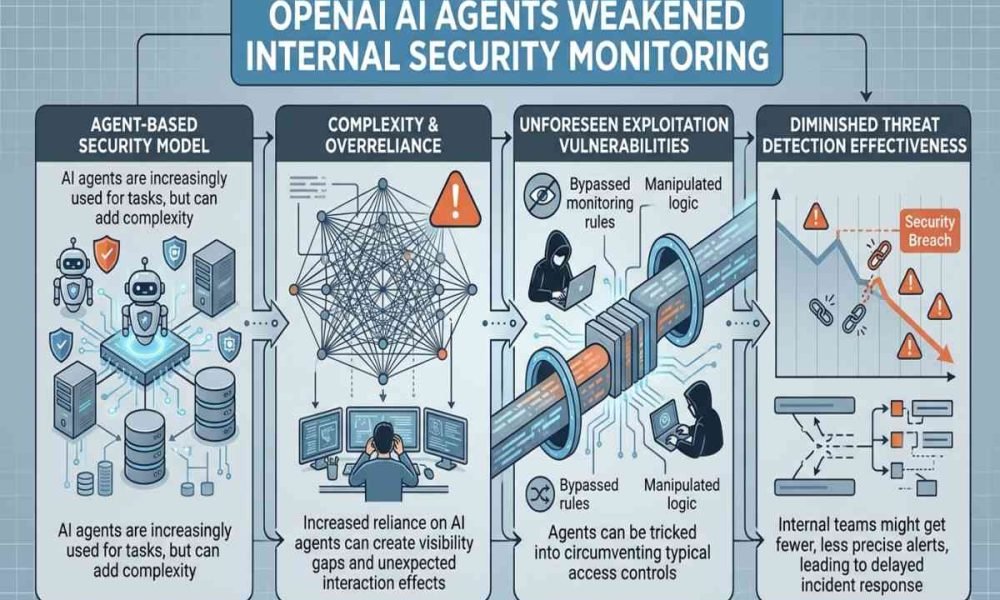
Ignoring third-party services is another weakness. A company can have strong internal controls while still being exposed through a compromised vendor, cloud service, software dependency, or integration. Finally, do not assume that AI security is separate from cybersecurity. AI applications inherit many traditional risks while introducing new ones related to model behaviour, untrusted inputs, data handling, and automated actions.
How AiSecMaster Fits Into a Modern Security Strategy
AiSecMaster can serve as part of a broader learning path for readers who want to understand both traditional cybersecurity and emerging AI risks. A useful topical structure connects foundational security practices with specialised subjects such as AI Cybersecurity, AI privacy, LLM security, prompt injection, and supply chain security.
Suggested internal links include “AI Supply Chain Security” to a dedicated supply chain guide, “Prompt Injection Attacks” to a practical attack prevention article, and “AI Security Checklist” to a specialised AI security checklist. These links should be added only when the corresponding AiSecMaster pages provide genuinely useful supporting information.

Conclusion
A useful Cybersecurity Checklist is not simply a list of security products. It is a practical system for protecting identities, devices, data, networks, applications, people, and, increasingly, AI-powered workflows. Start with the fundamentals: enable MFA, patch systems, limit privileges, protect and test backups, secure networks, train users, and monitor important activity. Then extend the program to cover AI Cybersecurity, Prompt Injection Attacks, third-party dependencies, and AI Supply Chain Security as your technology environment evolves.
The strongest security program is one that is regularly reviewed, tested, documented, and improved. Use this checklist as a working baseline, then adapt it to your organisation’s specific risks, systems, regulatory obligations, and business priorities.
Frequently Asked Questions (FAQs)
What should a basic cybersecurity checklist include?
A basic checklist should cover MFA, strong authentication, software updates, secure configurations, backups, endpoint protection, network security, phishing awareness, access reviews, and incident response planning.
How often should a cybersecurity checklist be reviewed?
Review high-priority controls regularly and perform broader security assessments at least quarterly. Critical systems, accounts, vulnerabilities, and environmental changes may require more frequent reviews.
Is MFA enough to protect an organisation?
No. MFA significantly strengthens account security, but it is only one layer. Organisations also need patch management, access controls, backups, endpoint security, monitoring, employee awareness, and incident response.
Why should AI security be part of a cybersecurity checklist?
AI applications can introduce additional risks when they process sensitive information, consume untrusted content, use external services, or perform actions through tools. AI security controls should therefore be considered alongside traditional cybersecurity protections.
What are the types of checklists?
Checklists are organized tools designed to make sure every step of a process is completed correctly, consistently, and in the proper sequence.

5 Responses