Quick Answer: Use this Cybersecurity Audit Checklist to identify security gaps, protect sensitive data, assess network risks, and strengthen business security with practical steps.
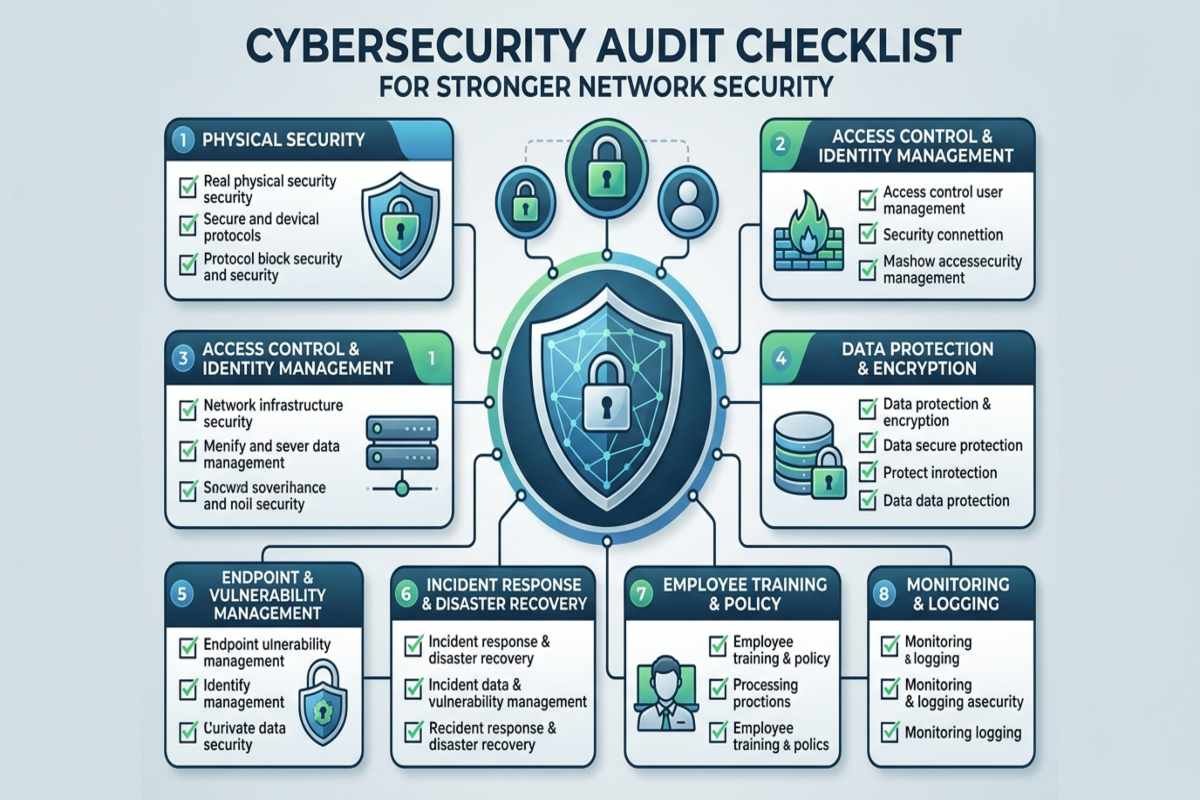
A Cybersecurity Audit Checklist helps organizations identify network vulnerabilities, review security controls, protect sensitive information, and reduce the risk of cyberattacks. By systematically checking access permissions, firewalls, software updates, endpoint protection, backups, and incident response procedures, businesses can discover security gaps before attackers exploit them.
What Is a Cybersecurity Audit Checklist?
A cybersecurity audit checklist is a structured list of questions and verification steps used to evaluate an organization’s security policies, systems, configurations, and procedures. It helps determine whether security controls are properly implemented, documented, and maintained. A network security audit focuses particularly on routers, switches, firewalls, wireless networks, connected devices, network access permissions, traffic monitoring, and communication between internal systems and external networks.
Why Is a Network Security Audit Important?
A network security audit helps organizations identify weaknesses that routine IT maintenance might overlook. It also provides a clearer picture of how sensitive data moves through business systems and which systems require stronger protection.
- Reduced Attack Surface: Find unnecessary services, exposed ports, outdated devices, and unused accounts.
- Stronger Access Control: Prevent unauthorized users from accessing business applications and confidential information.
- Improved Vulnerability Management: Identify systems that require security patches or configuration changes.
- Better Incident Readiness: Verify that monitoring, backups, and response procedures work as intended.
- Compliance Support: Organize evidence needed to assess applicable requirements, such as HIPAA, PCI DSS, or contractual security obligations.
An audit does not automatically guarantee compliance or prevent every attack. Its value comes from identifying risks, correcting weaknesses, and repeatedly validating that protections remain effective.
Cybersecurity Audit Checklist for Network Security
Use the following checklist to assess core security controls. Mark each item as Pass, Needs Improvement, or Not Applicable, and retain evidence for important findings.
Review Network Inventory and Asset Visibility
You cannot protect systems you do not know exist. Create an inventory of devices, network infrastructure, applications, cloud resources, and systems that connect to business networks.
- Document routers, switches, firewalls, servers, laptops, and wireless access points.
- Identify unauthorized, unknown, or unmanaged devices.
- Record operating systems, software versions, device owners, and business purposes.
- Identify internet-facing services and exposed ports.
- Review whether obsolete hardware or unsupported software requires replacement.
Practical example: An inventory may reveal an old server that still accepts external connections even though employees no longer use it. Removing unnecessary access reduces the organization’s attack surface.
Inspect Firewall Rules and Network Segmentation
Firewalls Control network traffic according to configured rules, but overly permissive settings can leave critical systems exposed.
- Review inbound and outbound firewall rules.
- Remove unnecessary ports, services, and outdated access exceptions.
- Restrict administrative interfaces to authorized management networks.
- Separate guest Wi Fi, employee devices, servers, and sensitive systems.
- Check remote access configurations and VPN permissions.
- Confirm that network devices use secure management protocols.
Network segmentation limits communication between different environments. For example, a compromised employee laptop should not automatically have access to a financial database or domain controller.
Audit User Accounts and Access Permissions
Compromised credentials and excessive permissions can allow attackers to move through a network or access confidential data.
- Enable multifactor authentication (MFA), especially for administrators, email, VPNs, and cloud services.
- Remove accounts belonging to former employees and inactive contractors when no longer needed.
- Review privileged accounts and administrator memberships.
- Apply least privilege access, granting only the permissions required for each role.
- Audit service accounts, API keys, and application credentials.
- Verify that password policies and account recovery processes follow organizational security requirements.
Check Vulnerability Management and Patch Updates
Unpatched software, outdated firmware, and unsupported operating systems can expose known security weaknesses.
- Run authorized vulnerability scans against network assets.
- Review security advisories for operating systems, applications, and network devices.
- Prioritize actively exploited vulnerabilities and internet-facing critical systems.
- Verify that security patches install successfully.
- Replace unsupported products or implement documented compensating controls.
- Rescan affected systems after remediation.
Do not prioritize vulnerabilities based only on their severity scores. Use your Cybersecurity Checklist to evaluate exploit availability, system exposure, business importance, and the sensitivity of accessible data.

Examine Endpoint and Wireless Security
Every laptop, workstation, mobile device, and wireless connection can become an entry point into the network.
- Verify that supported endpoint protection or EDR tools are installed and functioning.
- Enable host firewalls and appropriate device security settings.
- Encrypt sensitive data on laptops and portable devices.
- Secure Wi Fi with modern encryption and strong administrative credentials.
- Separate guest wireless access from internal business resources.
- Establish procedures for lost devices and unauthorized connections.
Confirm that security tools report to a central console and generate alerts when protection is disabled. Installation alone does not prove that a device is adequately protected.
Audit Cloud Services and Third Party Vendors
Cloud Applications, managed service providers, software suppliers, and external integrations can introduce risks beyond an organization’s directly managed network.
- Inventory cloud accounts, external services, and vendor connections.
- Review vendor access permissions and remove unnecessary privileges.
- Check cloud storage permissions and publicly exposed resources.
- Verify security requirements in vendor agreements and contracts.
- Review software dependencies, update procedures, and supplier security disclosures.
- Document how third-party access is approved, monitored, and revoked.
Effective Supply Chain Management includes evaluating the security of vendors, software components, and external services. Similarly, Supply Chain Planning should account for operational disruption if a critical supplier or technology provider becomes unavailable.
Assess AI Applications and Emerging Security Risks
Organizations using AI assistants, large language models (LLMs), or autonomous agents should extend their audit beyond traditional network controls. AI applications may connect to internal databases, cloud services, business applications, and external APIs.
- Inventory approved AI applications, models, integrations, and connected data sources.
- Restrict AI access to sensitive records and internal systems.
- Test whether untrusted prompts or documents can manipulate AI application behavior.
- Verify that AI generated outputs are validated before triggering sensitive actions.
- Review model providers, plugins, datasets, and third party dependencies.
- Log and review consequential actions performed by AI applications.
AI Agent Security is particularly important when an agent can send emails, modify records, execute code, or access business systems. Apply least privilege and require human approval for high impact actions where appropriate.
How to Prioritize Cybersecurity Audit Findings
| Priority | Example Finding | Recommended Response |
|---|---|---|
| Critical | Confirmed compromise or a severe, actively exploited exposure | Initiate incident procedures and contain the risk immediately. |
| High | Exposed critical system or missing protection on a privileged account | Apply urgent remediation and verify the fix. |
| Medium | Outdated software on a restricted internal system | Schedule remediation based on risk and operational needs. |
| Low | Minor documentation gap with limited direct security impact | Assign an owner and track completion. |
How Often Should You Perform a Cybersecurity Audit?
The appropriate audit frequency depends on business risk, regulatory obligations, infrastructure complexity, and the rate of change in the environment. Many organizations conduct a comprehensive review annually and perform smaller, targeted checks more frequently.
- Major network or cloud infrastructure changes.
- Significant security incidents or suspected breaches.
- New vendor integrations or AI application deployments.
- Discovery of critical vulnerabilities.
- Changes to regulatory, contractual, or business requirements.
Use the NIST Cybersecurity Framework 2.0 to organize ongoing risk management around six functions: Govern, Identify, Protect, Detect, Respond, and Recover.

Conclusion
A Cybersecurity Audit Checklist for Stronger Network Security helps organizations systematically review their defenses, uncover weaknesses, and prioritize corrective action. Start with asset visibility, access control, firewall configurations, patch management, backups, and monitoring before expanding into vendor and AI security assessments.
For stronger results, document every important finding, assign responsibility, and verify each fix. Explore more practical cybersecurity guidance at AiSecMaster to build a more resilient and security-conscious organization.
Frequently Asked Questions (FAQs)
What is a cybersecurity audit checklist?
A cybersecurity audit checklist is a list of security controls used to evaluate network security, access permissions, data protection, software updates, backups, and compliance with security policies.
What should a cybersecurity audit checklist include?
A cybersecurity audit checklist should include vulnerability assessments, firewall configurations, multi-factor authentication (MFA), access control reviews, data encryption, patch management, employee security awareness, backup testing, and incident response planning.
How often should a cybersecurity audit be performed?
Organizations should perform a cybersecurity audit at least annually and review critical security controls more frequently. High-risk businesses may need quarterly or continuous assessments, especially after major system changes or security incidents.
Why is a cybersecurity audit important for businesses?
A cybersecurity audit helps businesses identify security weaknesses, reduce cyberattack risks, protect sensitive information, evaluate existing controls, and improve compliance with applicable security requirements.
What is the difference between a cybersecurity audit and a vulnerability assessment?
A cybersecurity audit evaluates an organization's overall security controls, policies, and procedures. A vulnerability assessment focuses on identifying and prioritizing technical weaknesses in systems, applications, and networks.