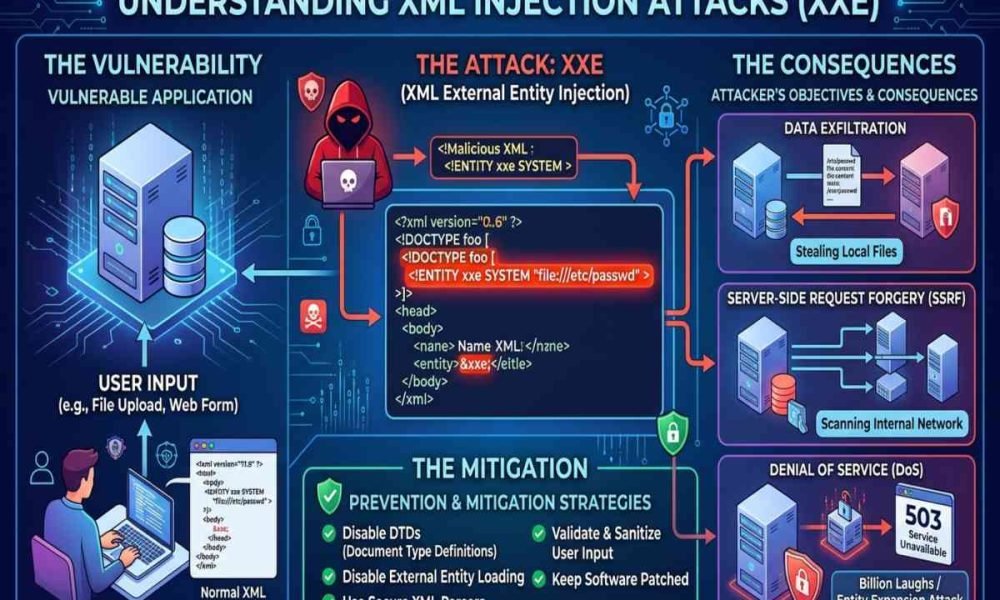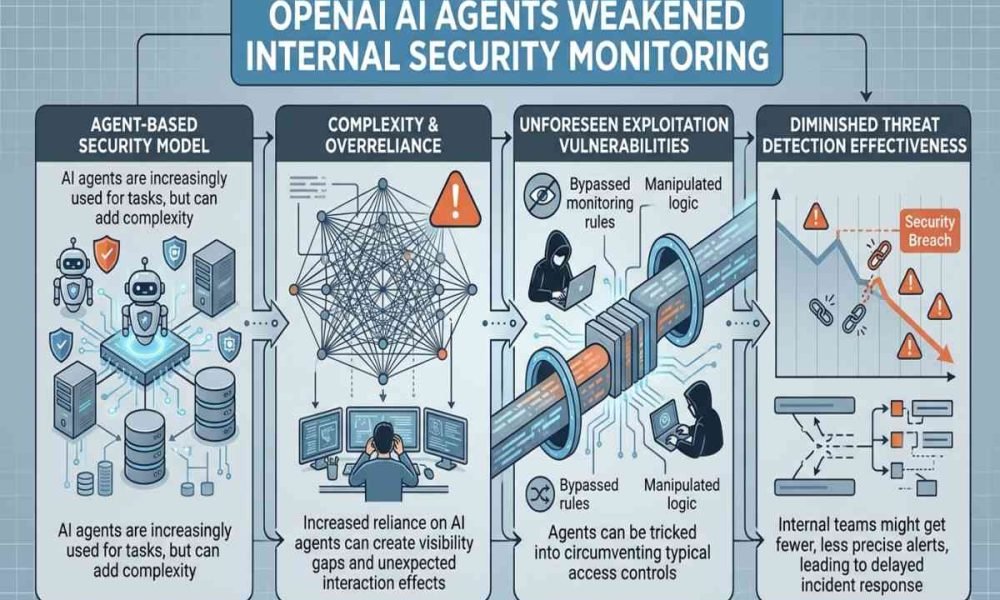
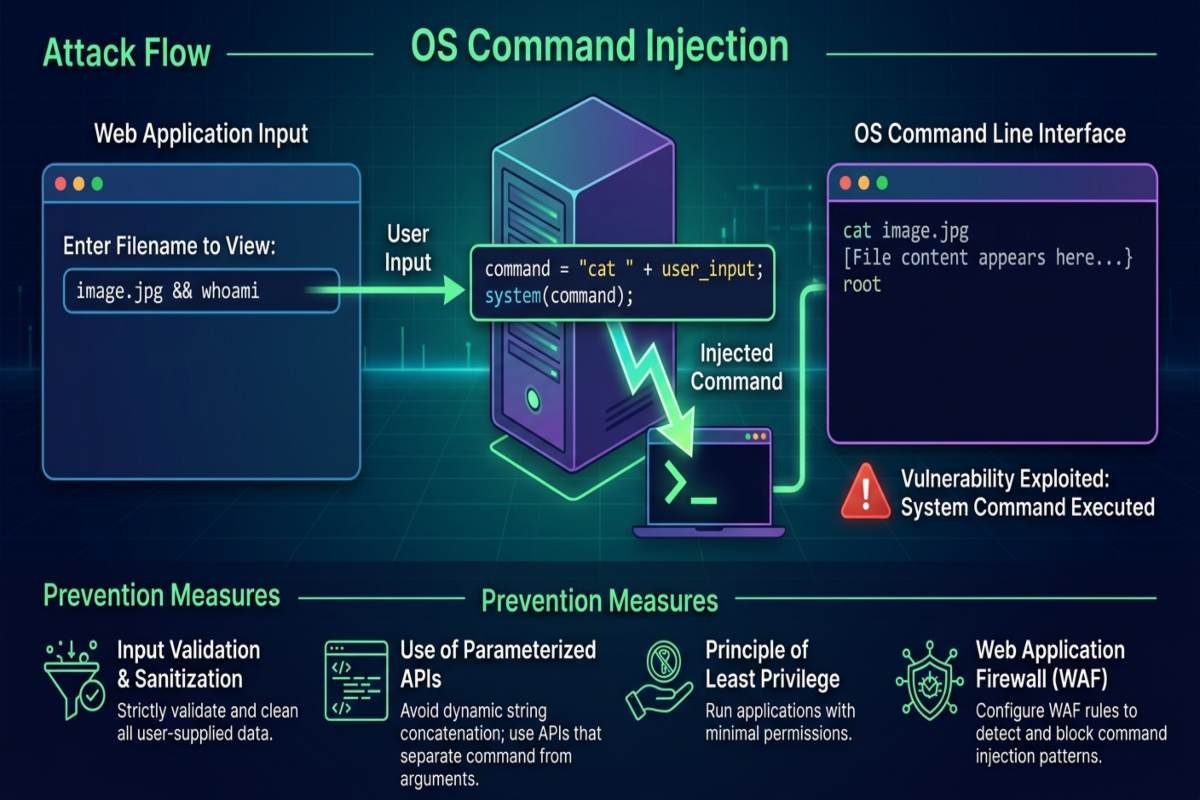
OS command injection is a security vulnerability that occurs when an application passes untrusted input to an operating system command without safely separating data from executable instructions. Attackers may exploit this weakness to execute unauthorized commands, access sensitive information, or disrupt services. Developers can reduce these risks by avoiding unsafe shell execution, validating input, restricting permissions, and testing applications before deployment.
OS Command Injection at a Glance
- Definition: A vulnerability that allows untrusted input to influence operating system command execution.
- Common Targets: Web applications, APIs, backend services, and scripts.
- Potential Impact: Unauthorized file access, data exposure, and service disruption.
- Primary Defense: Use safe APIs, separate executable commands from arguments, and apply least-privilege permissions.
- Recommended Approach: Include command injection prevention in regular application security reviews.
What Is OS Command Injection?
OS command injection, also known as operating system command injection, occurs when software constructs a system command using untrusted input and executes it through a command interpreter. If the application handles that input incorrectly, special characters may change the command’s intended meaning. For example, a website might accept a hostname to check whether a server is reachable. If its backend inserts the hostname directly into a shell command, specially crafted input could alter the intended operation. The underlying problem is the failure to separate user-controlled data from executable instructions.
Applications written in Python, PHP, Java, and Node.js can be vulnerable when they invoke operating system processes unsafely. Strong Source Code Security practices help developers trace user input through application logic and identify dangerous process-execution functions before deployment.
How Do OS Command Injection Attacks Work?
An OS command injection attack typically begins when an application accepts external input and uses it to construct a system command. If the input reaches a shell without appropriate safeguards, an attacker may attempt to change how the command is interpreted. Consider a fictional web application that provides a server connectivity check. A user submits a hostname, and the backend launches a diagnostic utility. If the application combines that hostname directly with shell syntax, the input may influence additional command execution.
The vulnerability is not limited to websites. Background jobs, administrative scripts, APIs, and applications that process external data can also introduce unsafe command execution. Developers should identify every location where untrusted information reaches a process-launching function.
Common Types of Command Injection
- Direct Command Injection: Crafted input attempts to introduce additional commands into an application’s execution flow.
- Blind Command Injection: A command may execute without displaying its output in the application response, making detection more difficult.
- Argument Injection: Input changes how a legitimate executable interprets its arguments, even when a shell is not involved. This is related to command injection but represents a distinct security concern.
Understanding these differences helps security teams investigate suspicious behavior and choose appropriate testing methods.
What Are the Risks of OS Command Injection?
The consequences depend on the vulnerable application’s permissions, system configuration, and access to other resources. A flaw in a restricted service may have limited impact, while a vulnerability in a privileged production application can create a much more serious security incident.
| Security Risk | Potential Impact |
|---|---|
| Unauthorized File Access | Exposure of configuration files, credentials, or business records |
| Data Modification | Unauthorized changes to files or application data |
| Service Disruption | Interrupted operations or unavailable services |
| Credential Exposure | Compromise of secrets accessible to the affected process |
| System Compromise | Unauthorized control over parts of a server |
| Further Intrusion | Attempts to access other systems reachable from the compromised environment |
Organizations should include command injection in their broader Code Security assessments. Reviewing application permissions, exposed services, and access to sensitive data can help security teams understand the potential consequences and prioritize remediation.
How to Prevent OS Command Injection Attacks
Preventing command injection requires secure software design, careful implementation, and regular testing. Input filtering alone is not a reliable substitute for safe command execution.
Avoid Shell Commands When Possible
Use built-in programming language functions, operating system APIs, or dedicated libraries instead of launching shell commands. For example, a filesystem library can create a directory without constructing a shell command from a user-supplied directory name. Removing an unnecessary command interpreter reduces opportunities for untrusted input to become executable syntax.
Separate Commands From Arguments
When an external process is necessary, use an API that accepts the executable and its arguments separately without invoking a shell implicitly. Java’s ProcessBuilder supports this approach, and other programming languages provide comparable process APIs. This technique reduces shell-related risks but does not eliminate every argument-injection vulnerability. Validate arguments according to the target program’s expected behavior, and use fixed executable paths where practical.
Validate Input With Allow Lists
Define the exact values and formats the application should accept. If a field requires a numeric identifier, reject values that do not match the required format. If a feature supports a limited set of operations, map user selections to predefined internal operations. Avoid relying exclusively on blacklists of suspicious characters. Different shells, operating systems, encodings, and application contexts interpret input differently, making universal filtering unreliable.
Apply Least Privilege Permissions
Run application processes with only the permissions they need. Restrict access to sensitive files, administrative functions, cloud credentials, and internal services. Least privilege does not remove the vulnerability, but it can limit the damage if an attacker exploits it.
Handle Errors and Logs Securely
Avoid exposing raw command output, filesystem paths, environment variables, or stack traces to public users. Record relevant security events on the server while protecting passwords, access tokens, and other sensitive information. Security teams should review logs for unexpected process failures, suspicious input patterns, and unusual execution behavior.
Test Code Before Deployment
Review process-execution calls during code review and use static analysis to identify untrusted input flowing into dangerous functions. Dynamic testing can help verify suspected weaknesses in an authorized staging environment.
These checks should be repeated after significant application changes. Organizations must also review dependencies, build tools, and third-party components because software supply chain weaknesses can undermine otherwise secure code. Supply Chain Planning concerns the coordination of resources and operations; software supply chain security specifically addresses risks involving dependencies, development tools, and software delivery.
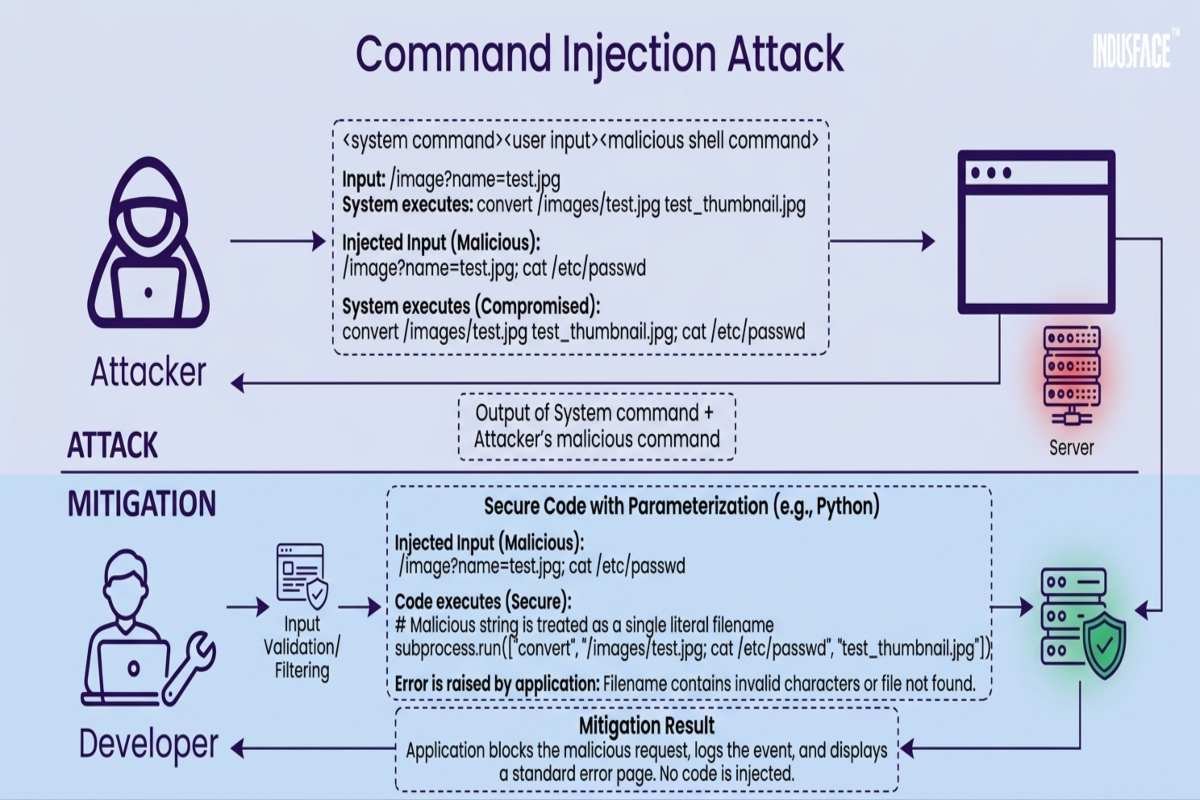
How Can Developers Detect Command Injection Vulnerabilities?
Developers should inspect places where external input reaches a process-execution function. Potential sources include URL parameters, form fields, API requests, HTTP headers, uploaded filenames, and data retrieved from external services.
- Identify every function that launches an operating system process.
- Trace untrusted input into commands and their arguments.
- Confirm that shell interpretation is avoided wherever possible.
- Validate arguments against the expected data format and permitted operations.
- Review permissions assigned to application processes.
- Test expected and unexpected inputs in an authorized environment.
- Recheck fixes through automated testing and manual code review.
Security teams may also use AI Threat Intelligence to understand emerging attack techniques and investigate suspicious activity. However, intelligence feeds and AI-generated findings should be validated before they influence remediation decisions.
OS Command Injection vs. Other Cybersecurity Threats
Command injection is one of several threats that affect modern applications and organizations. Understanding how it differs from other attack types helps teams apply the correct preventive controls.
| Threat | Primary Security Concern |
|---|---|
| OS Command Injection | Untrusted input influences operating system command execution |
| SQL Injection | Untrusted input changes database query logic |
| Cross-Site Scripting (XSS) | Malicious scripts execute in a user’s browser |
| Spear Phishing | Targeted deceptive messages manipulate victims into disclosing information or taking unsafe actions |
| Prompt Injection | Untrusted instructions manipulate an AI system’s intended behavior |
Organizations should not assume that one security control prevents all these threats. For example, employee training can help people recognize Phishing Email Examples, but phishing awareness does not replace secure coding, input handling, or application testing.
How Does Command Injection Relate to AI Agent Security?
AI-enabled applications introduce additional security considerations when models interact with tools, APIs, databases, or operating system processes. Effective AI Agent Security requires controlled tool access, strict permissions, and validation of actions initiated by an AI system. Developers building applications powered by large language models should also understand OWASP LLM Security Risks, including prompt injection, sensitive information disclosure, and excessive agency. These risks are distinct from OS command injection, although unsafe integrations can create pathways between them.
An Agentic AI Attack may involve abusing an AI agent’s permissions or weaknesses in its connected tools. If an agent passes untrusted content into a vulnerable shell command, traditional command injection defenses remain essential. AI safety filters alone cannot replace safe process execution and operating system permissions.
Organizations should design AI systems so that untrusted instructions cannot directly determine executable commands. Fixed tool interfaces, narrowly scoped permissions, human approval for sensitive operations, and server-side validation can help reduce exposure.
Strengthening Application Security With AiSecMaster
At AiSecMaster, readers can explore practical guidance on secure software development, vulnerability prevention, data privacy, and emerging AI-related threats. Connecting these topics helps developers understand how individual coding weaknesses fit into a broader security strategy. Start by reviewing applications that launch operating system processes, removing unnecessary shell calls, and correcting unsafe data flows. Then expand the assessment to dependencies, permissions, logging, and AI integrations where relevant.
Related resources include the Source Code Security guide and LLM Security Best Practices. These articles provide additional context for protecting conventional applications and AI-enabled systems.
Frequently Asked Questions (FAQs)
What is the main cause of OS command injection?
The main cause is unsafe handling of untrusted input when constructing operating system commands. If user-controlled data can change command syntax, an attacker may influence execution. Avoiding shell calls and using safe APIs are preferred preventive measures.
Is OS command injection the same as remote code execution?
No. OS command injection is one way remote code execution may occur when an attacker can influence commands on a remotely accessible system. Remote code execution is a broader category that includes other methods of executing code on a remote machine.
How can I test for command injection safely?
Use an authorized test environment, review process-execution code, and run approved security tests against systems you own or have permission to assess. Begin with code analysis and harmless test inputs, avoiding commands that access sensitive information, modify systems, or disrupt services.
Can input validation alone prevent OS command injection?
No. Input validation is useful, but it should not be the only safeguard. Prefer APIs that avoid shell interpretation, separate executable names from arguments, validate each argument, and restrict process permissions.
Conclusion
OS command injection is a preventable security weakness that can expose applications and servers to unauthorized command execution. Developers should avoid shell commands when safer alternatives exist, separate process arguments, validate input, enforce least privilege, and test code before deployment.
The next step is to review every application component that launches operating system processes and prioritize unsafe data flows. Combining secure coding, dependency reviews, and ongoing testing helps organizations build stronger application defenses.