Malicious code spreads through phishing emails, infected downloads, compromised websites, removable devices, vulnerable software, and shared networks. It can also move between connected systems when attackers exploit weak security controls. Understanding how malicious code spreads helps individuals and organizations prevent malware infections, protect sensitive information, and reduce cybersecurity risks.
This guide explains the most common malware distribution methods, how infections spread, the warning signs to recognize, and practical steps to improve online security.
What Is Malicious Code?
Malicious code is software, a script, or a program designed to perform harmful or unauthorized actions on a computer, application, network, or device. It may steal information, damage files, monitor activity, install additional threats, or provide attackers with unauthorized access.
- Viruses: Attach themselves to files or programs and can spread when infected content is executed or shared.
- Worms: Replicate and spread between systems, sometimes by exploiting network vulnerabilities.
- Trojans: Disguise themselves as legitimate software to trick users into installing malware.
- Ransomware: Encrypts files or disrupts access to systems, often to demand payment.
- Spyware: Secretly collects information about users or their activities.
- Downloaders: Retrieve additional malicious software after an initial infection.
According to the National Institute of Standards and Technology (NIST), malware can compromise the confidentiality, integrity, or availability of data, applications, and operating systems.
How Does Malicious Code Spread?
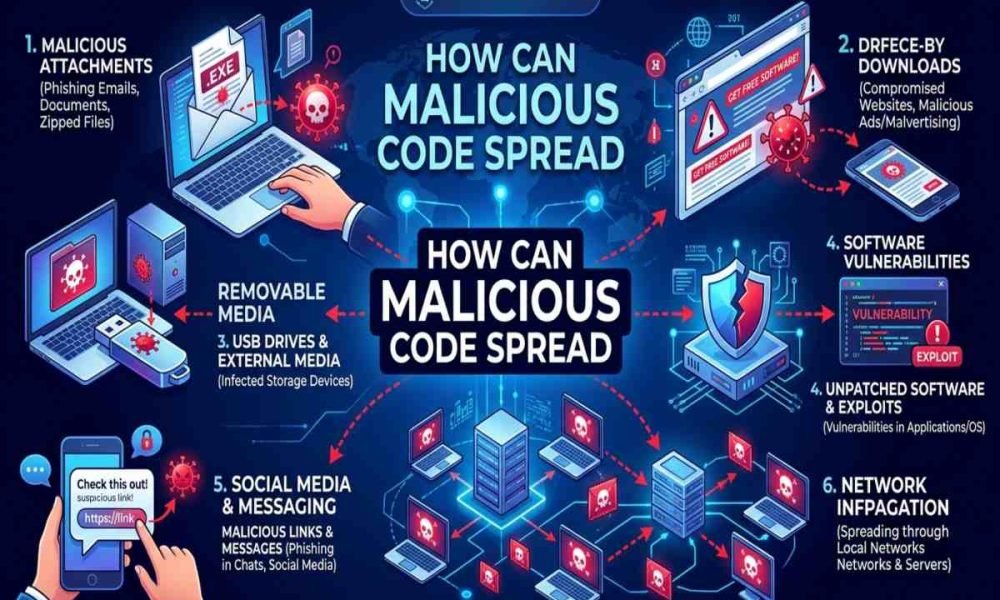
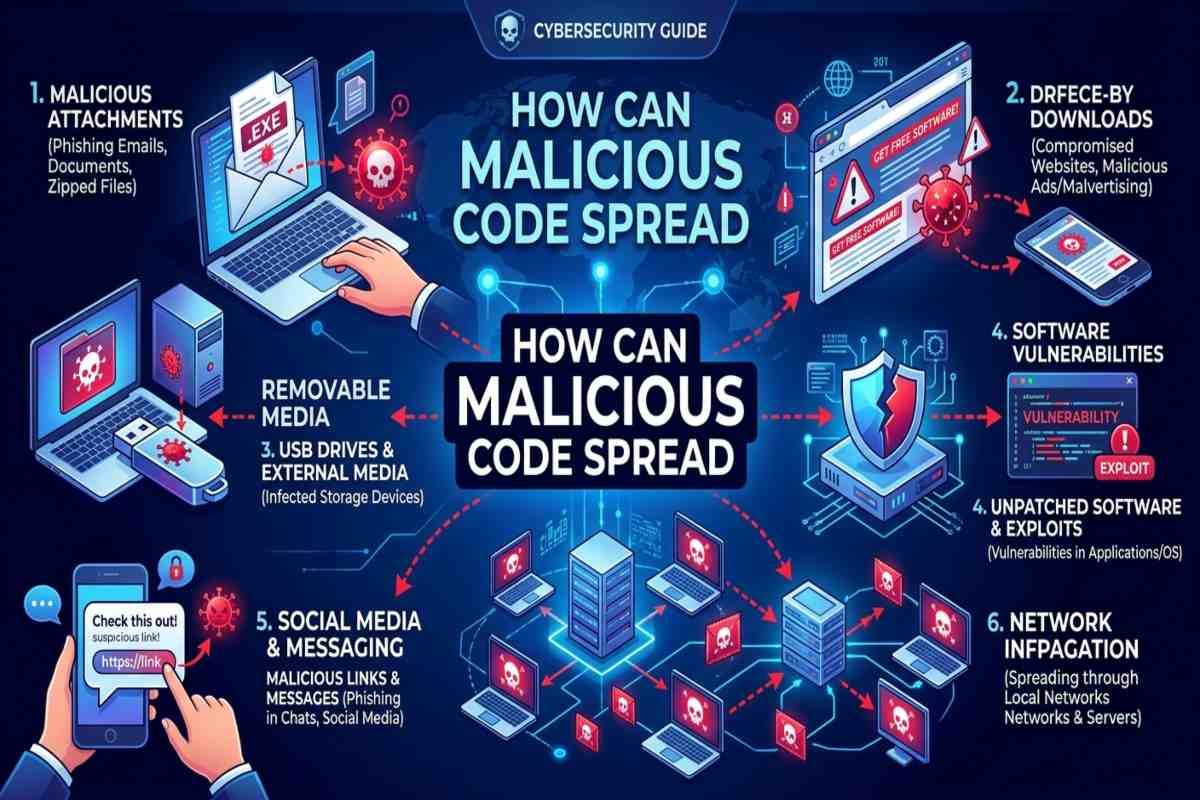
Malicious code spreads when attackers deliver harmful files, exploit security weaknesses, or trick people into performing actions that allow malware to run. Once inside a device or network, some malware remains on one system, while other types attempt to infect additional devices or download further threats.
Phishing Emails and Malicious Attachments
Email is a common delivery method for malware. Cybercriminals send messages that appear to come from employers, banks, delivery companies, or trusted contacts. These messages may contain infected documents, compressed files, executable programs, or links to malicious websites. Opening a dangerous attachment or following instructions to run a file can trigger an infection.
Example: An employee receives an unexpected invoice attachment. After opening the file and enabling a requested but unnecessary feature, malicious code executes on the computer.
- Verify unexpected requests through a separate, trusted communication channel.
- Avoid suspicious attachments and links.
- Never enable macros or other active content without a legitimate, verified reason.
- Use email filtering and endpoint protection.
Infected Downloads and Fake Software
Attackers distribute malware through unofficial download websites, pirated software, fake browser updates, and deceptive installation packages. Some programs install additional unwanted or malicious components without making their purpose clear. A download may appear legitimate while containing a Trojan or another harmful component. Running the downloaded file gives it an opportunity to execute.
Download software from official vendor websites or trusted application stores. Avoid pirated programs, suspicious activation tools, and unexpected update prompts.
Compromised Websites and Malicious Advertisements
Malicious code can reach users through websites that attackers control or legitimate websites that have been compromised. In some cases, harmful advertisements redirect visitors to deceptive downloads or exploit vulnerable browsers and plugins. A website visit does not automatically mean a device is infected. However, outdated software or unsafe browser configurations can increase exposure to certain attacks.
Keep browsers, operating systems, and extensions updated. Remove unnecessary extensions and avoid installing software from unexpected pop ups.
Exploiting Software Vulnerabilities
Software vulnerabilities are weaknesses that attackers can exploit to gain unauthorized access or execute harmful code. These weaknesses may exist in operating systems, browsers, business applications, network services, or internet connected devices. Attackers may scan for vulnerable systems and use an exploit to gain an initial foothold. If the affected system is connected to other devices, the attacker may attempt to expand access.
Effective Code Security practices include timely patching, secure configurations, vulnerability scanning, and limiting unnecessary services. Organizations should prioritize vulnerabilities according to severity, exposure, and the availability of reliable fixes.
Infected USB Drives and Removable Media
USB drives and external storage devices can transfer malicious files between computers. A person might unknowingly carry infected documents or programs from one device to another. Some malware also exploits weaknesses in how systems handle removable media. Unknown USB devices can pose risks even when their labels appear harmless.
Never connect an unfamiliar USB drive to a computer containing sensitive information. Organizations should restrict removable media use where appropriate, scan permitted devices, and disable unnecessary automatic execution features.

Shared Networks and Connected Devices
Malware does not always stay on the device where it first executes. Some worms and other threats search for vulnerable systems, exposed services, shared folders, or weak credentials to reach additional machines. For example, an infected workstation may expose a shared folder containing files that other employees regularly access. If malicious files are opened elsewhere, the infection can spread further.
Network segmentation, strong authentication, least privilege access, and endpoint monitoring can help limit this movement. Separating critical systems from ordinary user devices can reduce the potential impact of an infection.
Compromised Accounts and File Sharing Services
Attackers sometimes steal account credentials and use legitimate email, cloud storage, messaging platforms, or collaboration tools to distribute malicious links and files. Because the messages may come from a real compromised account, recipients can be more likely to trust them. Cloud storage itself is not inherently dangerous; the risk comes from malicious content, compromised accounts, and unsafe sharing permissions.
Use multifactor authentication, review unexpected shared files, restrict access to sensitive folders, and report suspicious messages even when they appear to come from colleagues.
Software Supply Chains and Malicious Code Dependencies
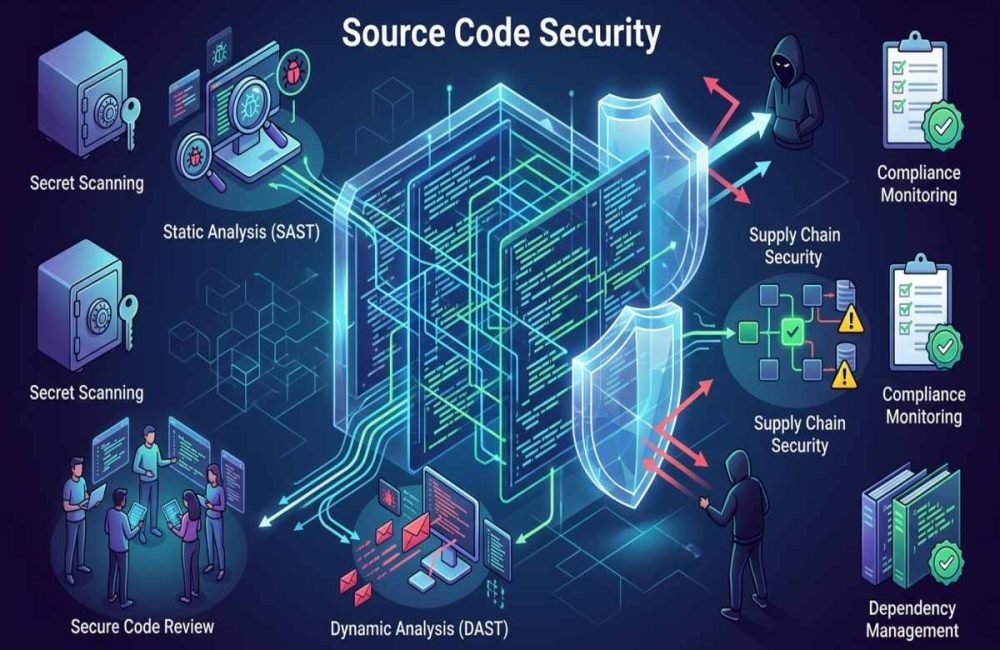
Software often depends on third party libraries, packages, plugins, and development tools. If a trusted component is compromised, malicious code may enter applications through an update or dependency. Developers should use trusted package repositories, verify dependencies, remove unnecessary components, and monitor security advisories. Code reviews, dependency scanning, and controlled build pipelines help strengthen Source Code Security.
AI assisted development adds another consideration: generated code and suggested packages should be reviewed and tested rather than trusted automatically. Teams building AI applications should also understand relevant OWASP LLM Security Risks, including risks associated with untrusted inputs and insecure handling of model generated content.
How Does Malware Spread After Infection?
Initial infection and subsequent spread are different stages. A malicious file may affect only one user, while a worm or an attacker with broader access may reach multiple systems.
- Initial delivery: A malicious attachment, download, or exploited vulnerability introduces the threat.
- Execution: The code runs after a user action or successful exploitation.
- Establishing access: Depending on the malware, it may create persistence or communicate with an attacker controlled server.
- Expanding access: The threat may search for additional devices, credentials, shared folders, or vulnerable services.
- Impact: Attackers may steal data, disrupt operations, deploy ransomware, or install additional malware.
Not every infection follows these stages, and not every malware family can spread independently. A Trojan, for example, typically relies on deception to get installed rather than replicating itself like a worm.
Warning Signs of a Malicious Code Infection
Some infections cause obvious disruption, while others operate quietly. Watch for unusual behavior such as:
- Unexpected pop ups, applications, or browser extensions.
- Unknown processes or suspicious account activity.
- Unexplained changes to files, settings, or security controls.
- Unusual network traffic or repeated connections to unfamiliar services.
- Security tools being disabled without authorization.
- Files becoming inaccessible or displaying ransom messages.
- Emails or messages sent from your account without your knowledge.
These signs do not prove malware is present. Hardware problems, legitimate software updates, and configuration errors can cause similar symptoms. Investigate suspicious behavior with reputable security tools or qualified IT support.
How to Prevent Malicious Code From Spreading
The most effective defense combines secure technology,
careful user behavior, and a clear response plan.
| Security Measure | How It Helps |
|---|---|
| Update Software Promptly | Closes known vulnerabilities that attackers may exploit. |
| Use Reputable Endpoint Protection | Detects or blocks many malicious files and activities. |
| Enable Multifactor Authentication | Makes stolen passwords less useful to attackers. |
| Apply Least Privilege | Limits what an infected account or application can access. |
| Segment Networks | Reduces opportunities for threats to move between systems. |
| Maintain Tested Backups | Helps restore data after destructive attacks. |
| Train Employees | Improves recognition of phishing and suspicious downloads. |
| Monitor Endpoints and Networks | Helps identify unusual activity and investigate incidents. |
How AI Is Changing Malware and Cybersecurity Risks
AI can help security teams analyze suspicious activity, identify patterns, and prioritize threats. At the same time, attackers may misuse AI Threat Intelligence to improve phishing messages, automate parts of reconnaissance, or adapt social engineering attempts. AI does not make every attack successful, and AI generated code is not automatically malicious. The key concern is how these capabilities are used and whether appropriate controls are in place.
AiSecMaster recommends treating AI security as part of a wider cybersecurity program that includes access controls, secure development, monitoring, and incident response.

Conclusion
Malicious Code Spreads through several routes, including phishing, unsafe downloads, software vulnerabilities, removable media, compromised accounts, and connected networks. Understanding these methods makes it easier to identify risks before they become serious incidents.
Keep systems updated, verify unexpected files and messages, restrict access, maintain tested backups, and investigate unusual activity promptly. For more practical cybersecurity guidance, explore AiSecMaster’s related resources on source code security, AI security threats, and secure software development.
Frequently Asked Questions (FAQs)
What is the most common way malicious code spreads?
Malicious code can spread through phishing emails, unsafe downloads, compromised websites, vulnerable software, and infected files. The most relevant method depends on the threat and target environment. Verifying messages, using trusted downloads, and updating software reduce several common risks.
Can malicious code spread without clicking a link?
Yes. Some malware can exploit vulnerable internet facing services, compromised websites, or weaknesses in network protocols without requiring a user to click a link. Other threats depend on a person opening a file or running a program. Keeping software updated and limiting exposed services helps reduce risk.
Can malware spread from one computer to another?
Yes. Worms can replicate across systems, while other malware may spread through shared folders, removable drives, compromised accounts, or an attacker’s access to a network. Network segmentation, access restrictions, endpoint monitoring, and timely patching can limit this movement.
Does antivirus software stop all malicious code?
No. Security software can detect and block many threats, but new, modified, or previously unknown malware may evade detection. Antivirus protection should be combined with software updates, multifactor authentication, safe browsing, least privilege access, and reliable backups.
What should I do if I think my computer is infected?
Disconnect the affected device from the network if appropriate, stop using it for sensitive activities, and contact trusted IT or security support. Run a reputable security scan and change potentially compromised passwords from a clean device. For business systems, follow the incident response plan before attempting cleanup or restoration.
References
- NIST: Guide to Malware Incident Prevention and Handling
- Microsoft Support: How Malware Can Infect Your PC