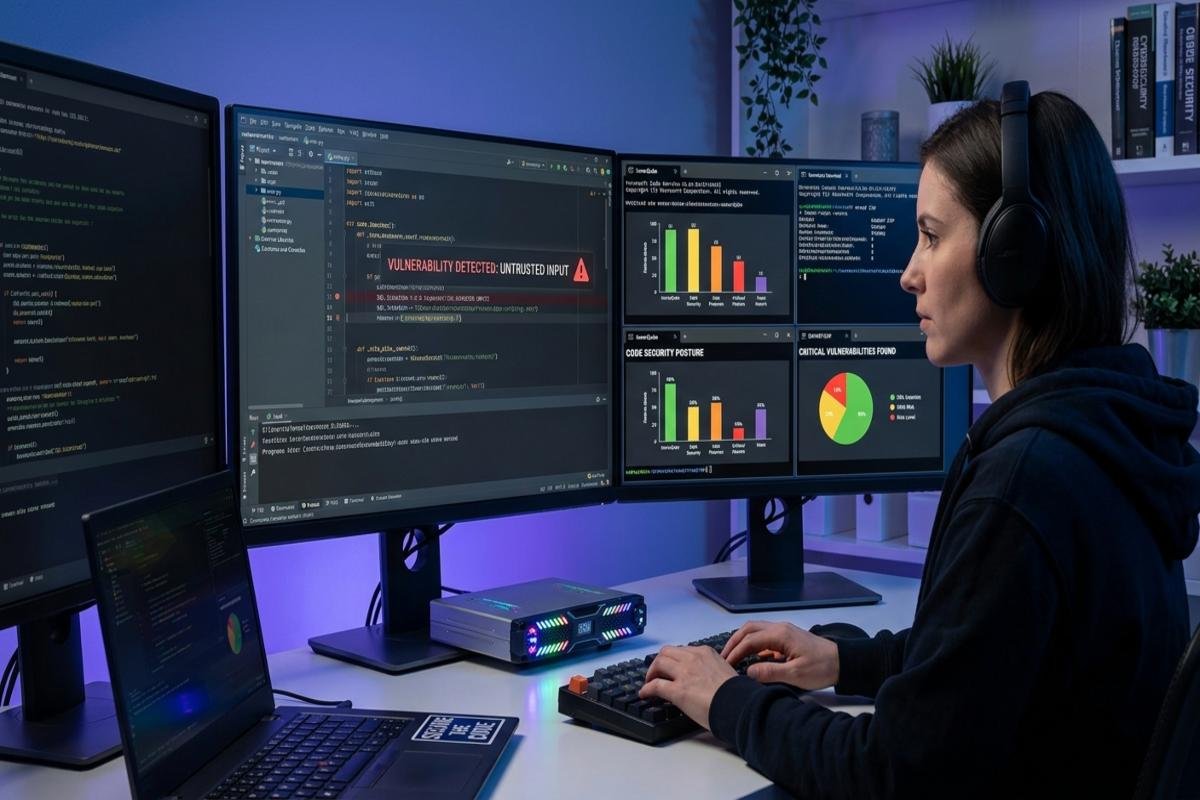
Code Security is the practice of protecting software from vulnerabilities, unauthorized access, malicious activity, and data exposure throughout the development lifecycle. It includes secure coding, code reviews, dependency management, access controls, security testing, and continuous monitoring.
The safest approach is to build security into every stage of development rather than checking for vulnerabilities only after software is completed. This guide explains how developers and organizations can protect software step by step, from planning and coding to deployment and ongoing maintenance.
What Is Code Security?
Code security focuses on identifying and reducing weaknesses that could be exploited in an application. It covers application code, APIs, third party libraries, configuration files, repositories, development environments, and deployment systems.
Security should begin before the first line of code is written. When risks are considered during design, developers have a better opportunity to prevent vulnerable architecture and insecure functionality from reaching production.
Why Does Code Security Matter?
Software vulnerabilities can allow attackers to steal information, bypass authentication, modify data, disrupt services, or gain access to connected systems. The risk increases when applications connect to cloud services, databases, APIs, open source packages, and AI systems. A weakness in one component can create security problems across the wider environment. A secure development process therefore protects both the application and the systems that support it.
Code Security: A Step by Step Approach
A practical security process can be divided into several stages. Each stage addresses a different risk and helps developers discover problems earlier.
Identify What Needs Protection
Start by identifying the information, systems, and functions that are important to the application.
- What sensitive data does the application process?
- Which users can access that data?
- Which APIs and external services are connected?
- Which systems could be affected by a compromise?
- What would happen if an attacker modified the application?
This step establishes the application’s security priorities. Sensitive customer information, authentication systems, payment functions, and administrative controls usually require stronger protection than ordinary application features.
Perform Threat Modeling
After identifying important assets, determine how those assets could be attacked. Threat modeling examines application entry points, trust boundaries, attackers, sensitive data, and possible attack paths. It is especially useful for applications involving payments, authentication, file uploads, APIs, or confidential information.
The goal is not to predict every possible attack. Instead, developers should identify realistic threats and address them before the application architecture becomes difficult to change.
Code Security During Development
Code Security becomes much easier when security requirements are considered during development rather than added after deployment. Developers should validate untrusted input, use secure APIs, enforce authorization on the server, protect sensitive information, and handle errors without revealing unnecessary technical details. Security controls should also be documented so future developers understand why specific protections exist.
Write Secure Code
Secure coding means developing software that behaves safely when it receives unexpected, malicious, or invalid input. For example, applications should use parameterized database queries instead of directly inserting user input into SQL statements. Sensitive operations should also require proper authorization rather than relying on frontend restrictions.
Developers should follow security guidance appropriate to their programming language, framework, and application architecture.
Common Code Security Vulnerabilities
Understanding common vulnerabilities helps developers recognize where security controls are most important.
Injection Attacks
Injection vulnerabilities occur when untrusted input is interpreted as part of a command or query. SQL injection and command injection are common examples. Parameterized queries, safe APIs, input validation, and context aware output handling can help reduce these risks.
Broken Access Control
Authentication determines who a user is, while authorization determines what that user can do. An application may correctly authenticate someone but still allow unauthorized access to another user’s information. Server side authorization checks should therefore be applied to every sensitive operation.
Source Code Security
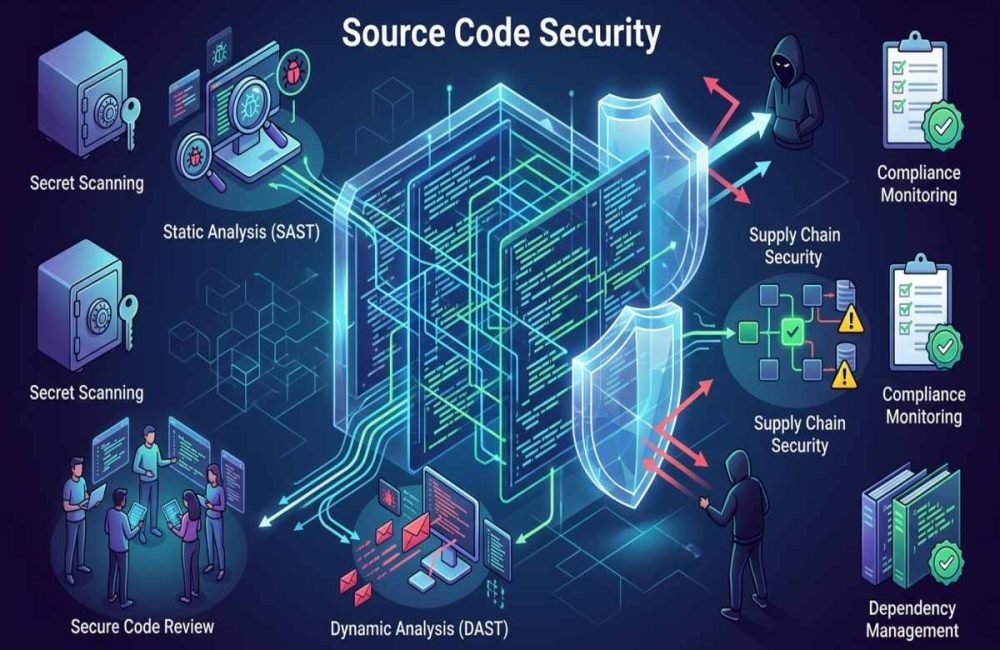
Source code may contain proprietary logic, API endpoints, configuration details, credentials, and information about internal systems. Repository access should therefore be restricted using strong authentication, least privilege permissions, protected branches, and appropriate security monitoring. Source Code Security protects repositories and development assets from unauthorized access, modification, or disclosure.
Hardcoded Credentials
Passwords, API keys, access tokens, and private credentials should not be stored directly inside application code. Even private repositories can be exposed through compromised accounts, accidental sharing, backups, or repository history. Developers should use secure secret management solutions and rotate credentials when exposure occurs.
Vulnerable Dependencies
Most modern applications use third party packages, frameworks, and open source components. A vulnerability in one dependency can affect the application that uses it. Development teams should maintain an inventory of dependencies, monitor security advisories, remove unnecessary packages, and update vulnerable components through a controlled process.
Protect Your Development Environment
Security should extend beyond the application itself. Developer accounts, source repositories, build systems, package managers, and CI/CD pipelines can become attractive targets because they may provide a path into production environments. Use multifactor authentication, least privilege access, protected branches, secure build environments, and regular permission reviews to reduce unnecessary exposure.
Why Autonomous AI Agents Need Extra Controls
Modern development and applications increasingly use Autonomous AI Agents that can access tools, files, APIs, or business systems.
An agent with excessive permissions can create a larger security impact if its instructions are manipulated or its connected systems are compromised. Agent permissions should therefore be limited to the actions required for a specific task. High impact actions should use additional validation or human approval where appropriate.
Test Code Before Deployment
Security testing should happen throughout development rather than only before a major release.
- Static application security testing
- Dependency scanning
- Secret detection
- Software composition analysis
- Dynamic application testing
- Manual code review
- Penetration testing where appropriate
Automated tools can identify known patterns quickly, but human review remains important for business logic, authorization, architecture, and application specific risks.
Secure APIs, Authentication, and Permissions
APIs frequently provide direct access to application functionality and data. They should therefore receive the same security attention as the application’s user interface. Use secure authentication, server side authorization, appropriate rate limits, input validation, secure session management, and careful error handling. Permissions should follow the principle of least privilege. A service should receive only the access it actually needs.
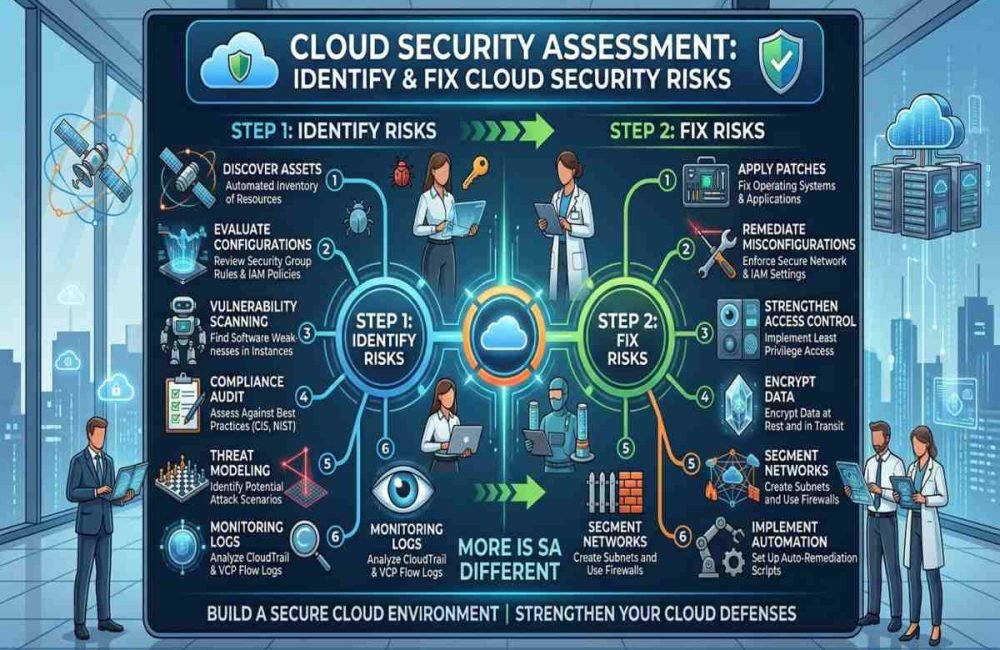
Cloud Security Assessment for Application Protection
A Cloud Security Assessment can help organizations identify weaknesses in cloud environments that support their applications. The assessment may review identity permissions, exposed services, storage configurations, network access, encryption, secrets, logging, and other cloud controls. This is important because secure application code can still be exposed by an incorrectly configured cloud resource.

Secure Cloud Based Applications
Cloud environments introduce additional security responsibilities for development and security teams. Cloud Application Security should consider how application code interacts with cloud identities, databases, object storage, APIs, containers, secrets, and other services.
Developers should avoid giving applications unnecessary cloud permissions. Sensitive resources should be isolated, access should be monitored, and configurations should be reviewed regularly.
Review Firewall Configuration
A secure Firewall Configuration can reduce unnecessary network exposure by controlling which systems, ports, protocols, and services are accessible. Firewalls should support application security rather than replace it. A firewall cannot fix vulnerable authentication, insecure application logic, or exposed credentials.
Monitor, Respond, and Improve
Security does not end when an application reaches production. New vulnerabilities can be discovered after deployment, dependencies can become outdated, credentials can be exposed, and attackers can develop new techniques. Organizations should continuously monitor security events, review vulnerabilities, investigate suspicious activity, patch affected components, and maintain an incident response process.
Build → Test → Deploy → Monitor → Detect → Fix → Improve
This approach turns security into an ongoing process instead of a one time project.
Code Security and AI Generated Code
AI coding tools can accelerate software development, but developers should not automatically trust generated code. AI generated code can contain insecure logic, vulnerable dependencies, incorrect assumptions, or implementation mistakes. The developer remains responsible for understanding and validating the final implementation.
- Generate or modify the code.
- Understand what the code does.
- Review security sensitive functions.
- Scan dependencies and secrets.
- Run security tests.
- Test authorization and data handling.
- Review the final code before deployment.
AI can improve productivity, but security verification should remain part of the development process.
Code Security for AI Applications
AI powered applications create additional security challenges because they may process untrusted prompts, documents, webpages, APIs, and external data. Developers should consider prompt injection, sensitive information exposure, insecure outputs, excessive permissions, data poisoning, and unsafe tool use when designing AI applications.
Understanding OWASP LLM Security Risks
Teams developing LLM applications should understand OWASP LLM Security Risks and apply relevant protections to their specific architecture. Prompt injection is particularly important when an AI system can interpret untrusted content and then interact with tools or external systems.
Security controls should include clear trust boundaries, input handling, output validation, access restrictions, monitoring, and careful tool permissions.
Preventing an Agentic AI Attack
An Agentic AI Attack can target an AI system that has the ability to perform actions on behalf of users or organizations. For example, an attacker might attempt to manipulate an agent through malicious instructions in a document or webpage. If the agent has excessive permissions, the resulting action could affect connected systems.
Developers should therefore limit agent permissions, separate sensitive resources, log important actions, validate tool requests, and require approval for high impact operations.
Using AI Threat Intelligence
AI Threat Intelligence can help security teams understand emerging attack techniques, suspicious behavior, and changes in the threat landscape. The useful approach is to connect intelligence with practical decisions. For example, a security team can use threat information to prioritize vulnerabilities, strengthen monitoring, or review applications exposed to a newly observed attack technique. AI threat intelligence should complement, not replace, established vulnerability management and security operations.
A Practical Cybersecurity Checklist
Before deploying software, use this Cybersecurity Checklist:
- Sensitive data has been identified.
- Threat modeling has been completed.
- Authentication is securely implemented.
- Authorization is enforced server side.
- User input is handled safely.
- Secrets are not stored in source code.
- Dependencies have been reviewed.
- Security testing is included in CI/CD.
- Repository access is restricted.
- Cloud permissions have been reviewed.
- APIs have appropriate security controls.
- Security logging and monitoring are enabled.
- Vulnerability response procedures are documented.
- AI generated code has been reviewed.
- AI agents have only necessary permissions.
This checklist provides a practical starting point but should be adapted to the application’s risk level and regulatory requirements.
Common Code Security Mistakes to Avoid
One common mistake is treating security as a final testing phase. If a vulnerability comes from the original architecture, fixing it late can require major changes. Another mistake is relying completely on automated scanners. Security tools are useful for finding known patterns, but they may miss business logic vulnerabilities, authorization problems, or risks caused by how several components interact.
Ignoring development infrastructure is another serious mistake. Attackers may target developer accounts, repositories, dependencies, or CI/CD systems because these environments can provide access to production resources.
How AiSecMaster Can Help
AiSecMaster provides practical information about cybersecurity, AI security, privacy, threats, and emerging technologies. Code security connects naturally with source code protection, cloud security, LLM security, AI threats, and secure software development.
Exploring these related topics can help developers and security teams build a broader understanding of modern application risks. For organizations developing AI powered software, combining traditional application security with AI specific security controls is becoming increasingly important.

Conclusion
Effective Code Security is a continuous process that begins with understanding application risks and continues through development, testing, deployment, and monitoring. The practical approach is to identify sensitive assets, model threats, write secure code, protect source repositories, test continuously, secure APIs and cloud environments, and respond quickly to vulnerabilities.
As software increasingly uses AI and autonomous systems, developers must also consider prompt injection, AI generated code, LLM risks, and agent permissions. Combining established secure development practices with modern AI and cloud security controls provides a stronger foundation for resilient software.
Frequently Asked Questions (FAQs)
What is code security?
Code security is the process of protecting software from vulnerabilities and unauthorized activity throughout its lifecycle. It includes secure design, secure coding, code review, testing, dependency management, access control, secrets protection, monitoring, and vulnerability response.
How can developers protect source code?
Developers can protect source code by using strong authentication, multifactor authentication, restricted repository permissions, protected branches, code reviews, secret scanning, and regular access reviews. Sensitive credentials should never be stored directly in repositories.
Is automated security testing enough?
No. Automated testing can identify many known vulnerabilities and insecure patterns, but it cannot detect every security problem. Human code review, threat modeling, architecture review, and application specific testing are also important.
Does AI generated code create security risks?
Yes. AI generated code can contain vulnerabilities, insecure dependencies, or incorrect security assumptions. Developers should understand, review, test, and validate generated code before using it in production.
What do security codes mean?
A security code is a short number, password, or temporary value used to verify your identity and protect accounts, systems, or digital transactions from fraud.
References
- Huntress
Huntress explains code security, its importance, common challenges, secure coding practices, code reviews, dependency security, static analysis, CI/CD security, and penetration testing. - Orca Security
Orca Security covers code security throughout the software development lifecycle, including source-code vulnerabilities, secrets detection, supply-chain risks, IaC security, container scanning, and shift-left security practices.



3 Responses